Free · Open source · For jailbroken PS5

Your PS5, finally yours.

Omega is your console's new Home. Your games, your homebrew and your friends in one place: free, open source, built by people who play.

Download Omega
  • GPL-3.0
  • Signed updates
  • Free, forever
The Omega Home screen: games and homebrew in one row, over a themed background

A new home for your console.

Home

Everything you love, in a single row.

Installed games and homebrew side by side, with big cover art and a background that lights up in the colours of whatever you're looking at. Pick and play, no menus to dig through.

  • Games and homebrew in the same row
  • Dynamic background that follows the theme
  • Instant launch: one button and you're in
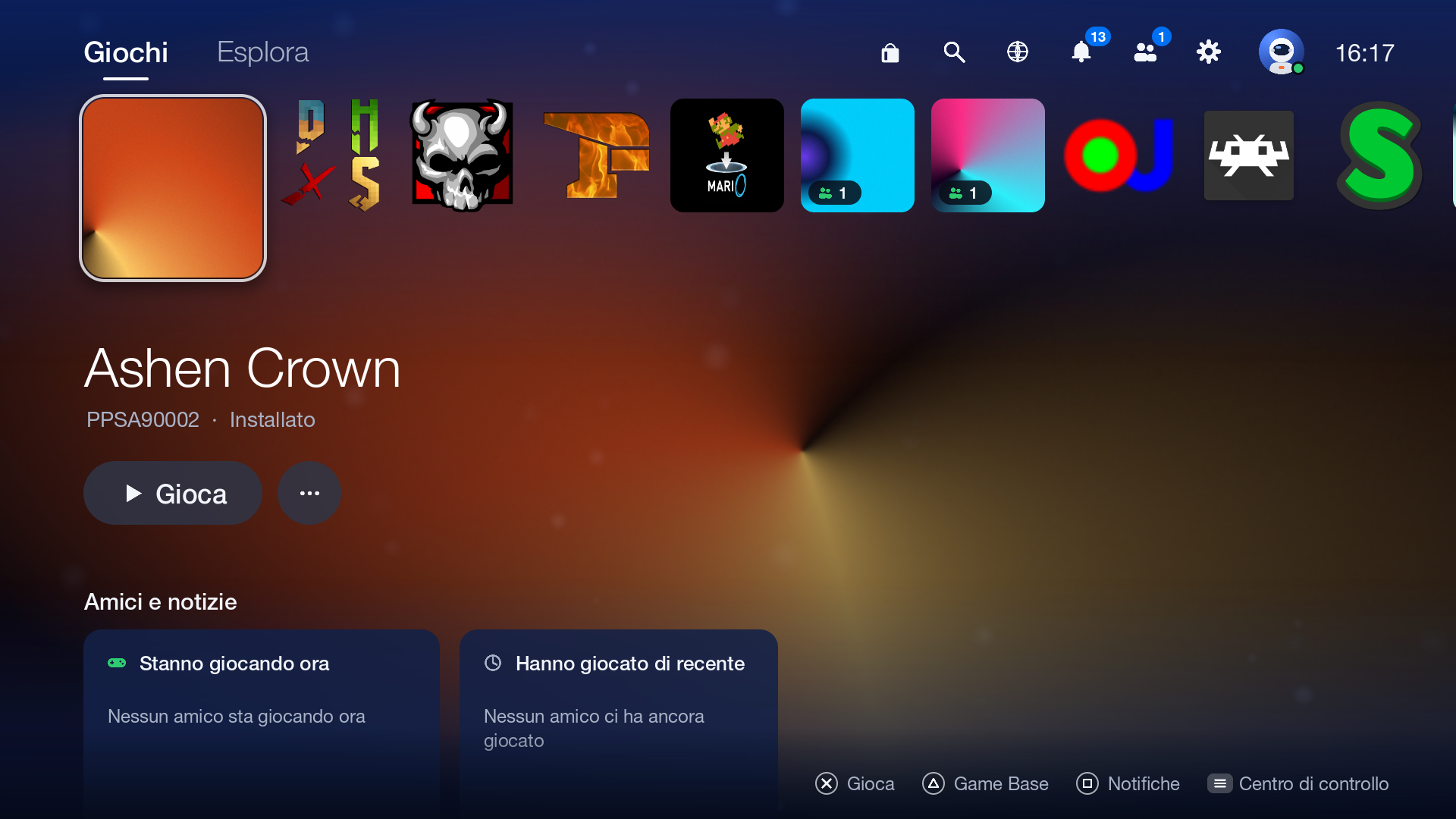
The Omega Home screen

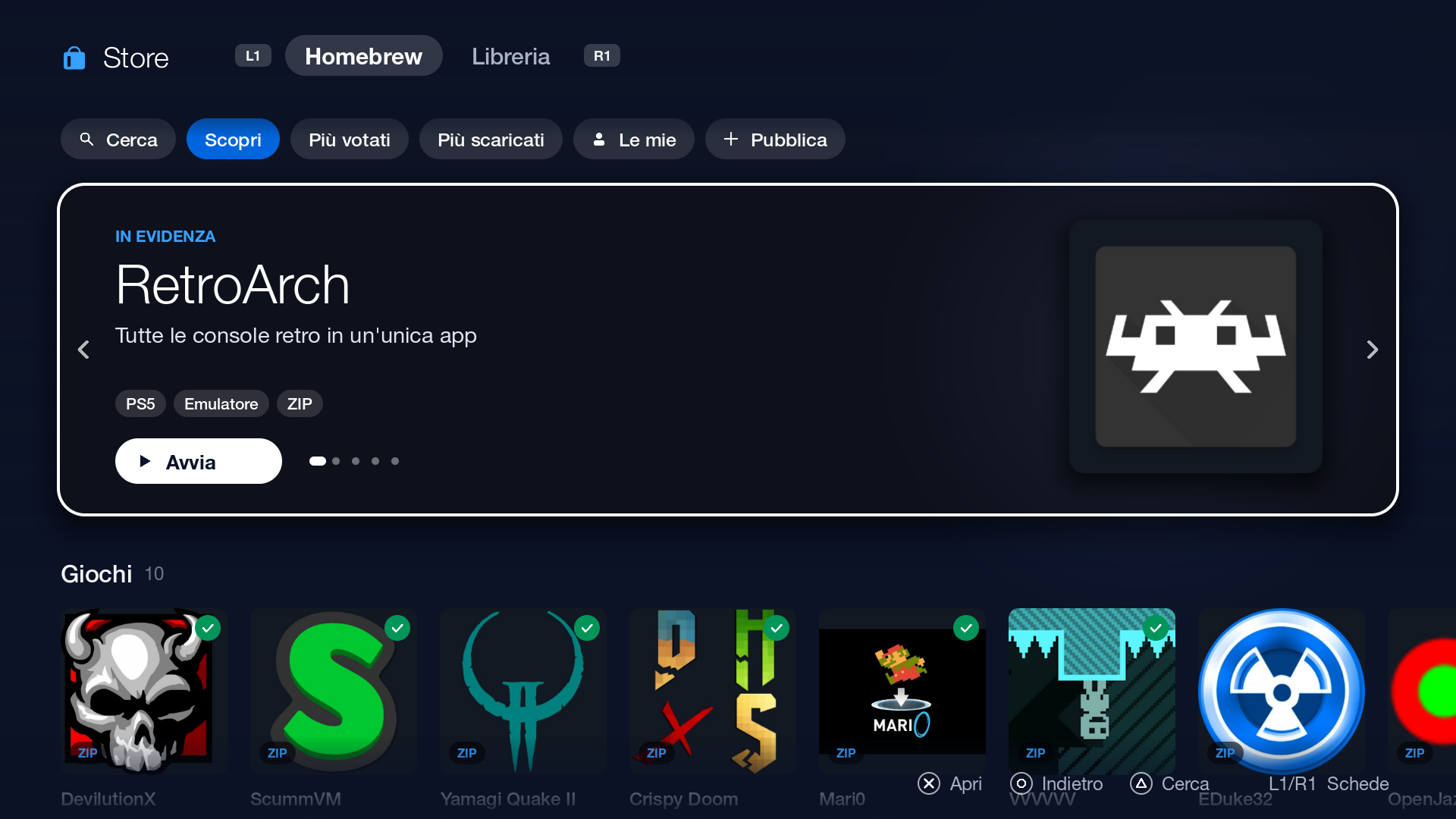
Store

A store where everything is free. And open.

Emulators, ports of the great classics, media players, tools: 49 open-source homebrew apps in one place. Press Install and Omega works out on its own whether it's a pkg, a zip or an elf.

  • Ratings, likes and comments
  • One-button installs
  • Your personal library from your own JSON file
The Omega Store with open-source homebrew

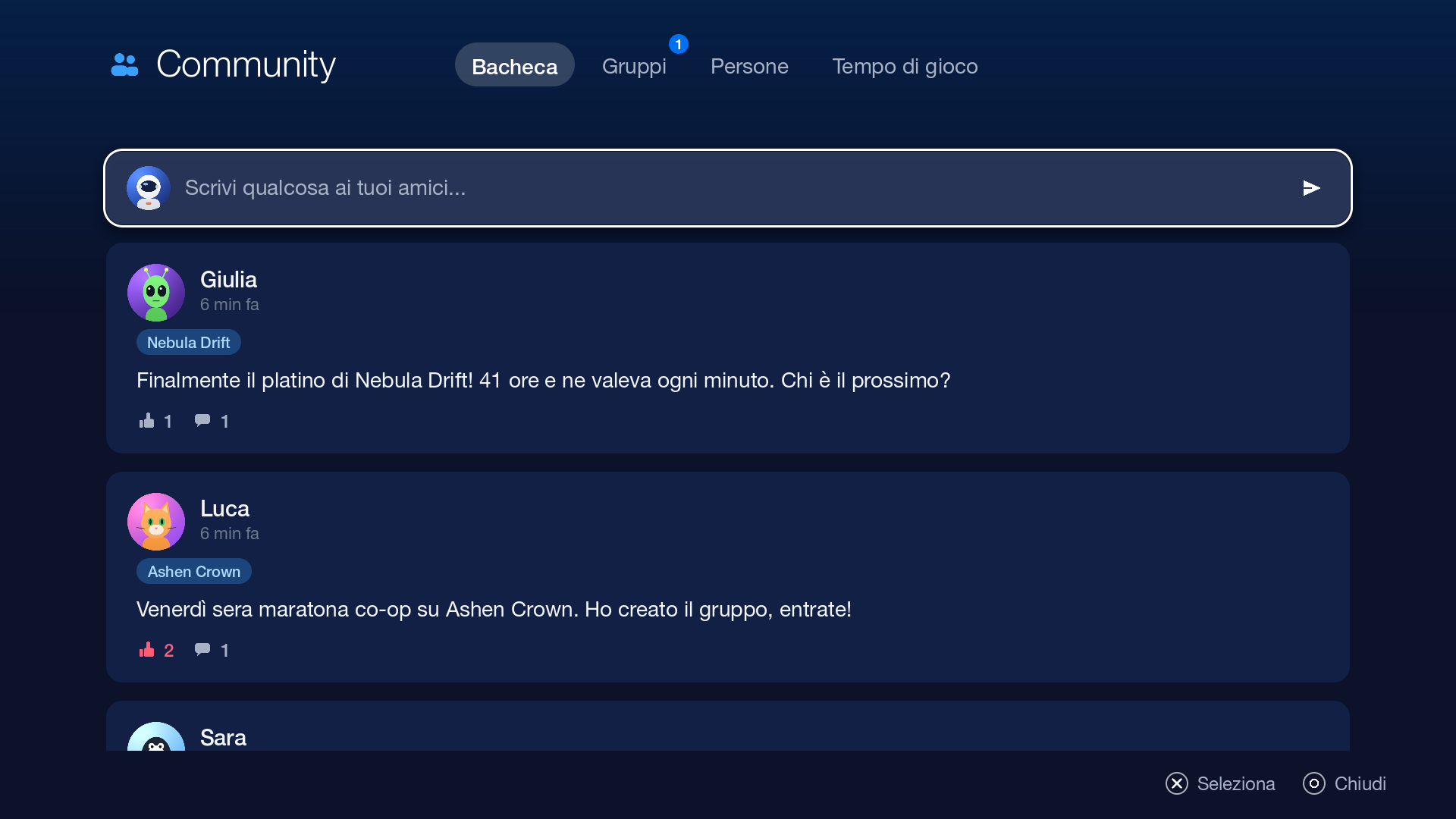
Community

Your friends, finally at home.

A wall with your friends' posts, group chats that stick around, friend suggestions based on mutual friends and the games you share. Plus a playtime leaderboard, for the rivalries that matter.

  • A wall with likes and comments
  • Persistent group chats
  • Stats and a leaderboard with friends
The Community wall with posts from friends

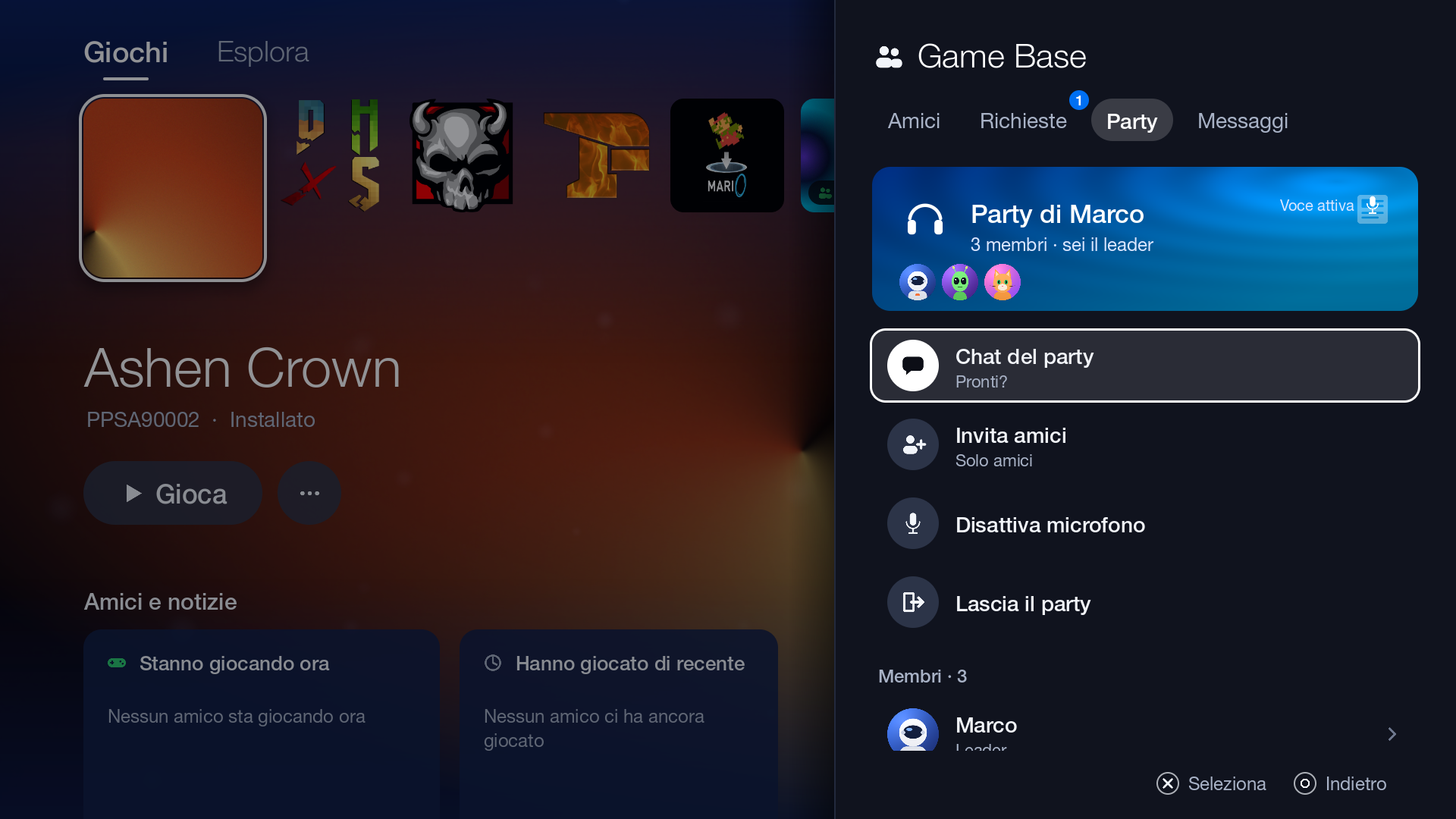
Party

Turn on your mic. The rest just happens.

Voice chat with friends, with crisp Opus audio even when the network acts up. A party text chat for links and banter, and invites that find you wherever you are.

  • Opus voice, low latency
  • Party chat and invites
  • Status: online, away, do not disturb, invisible
A voice party with friends

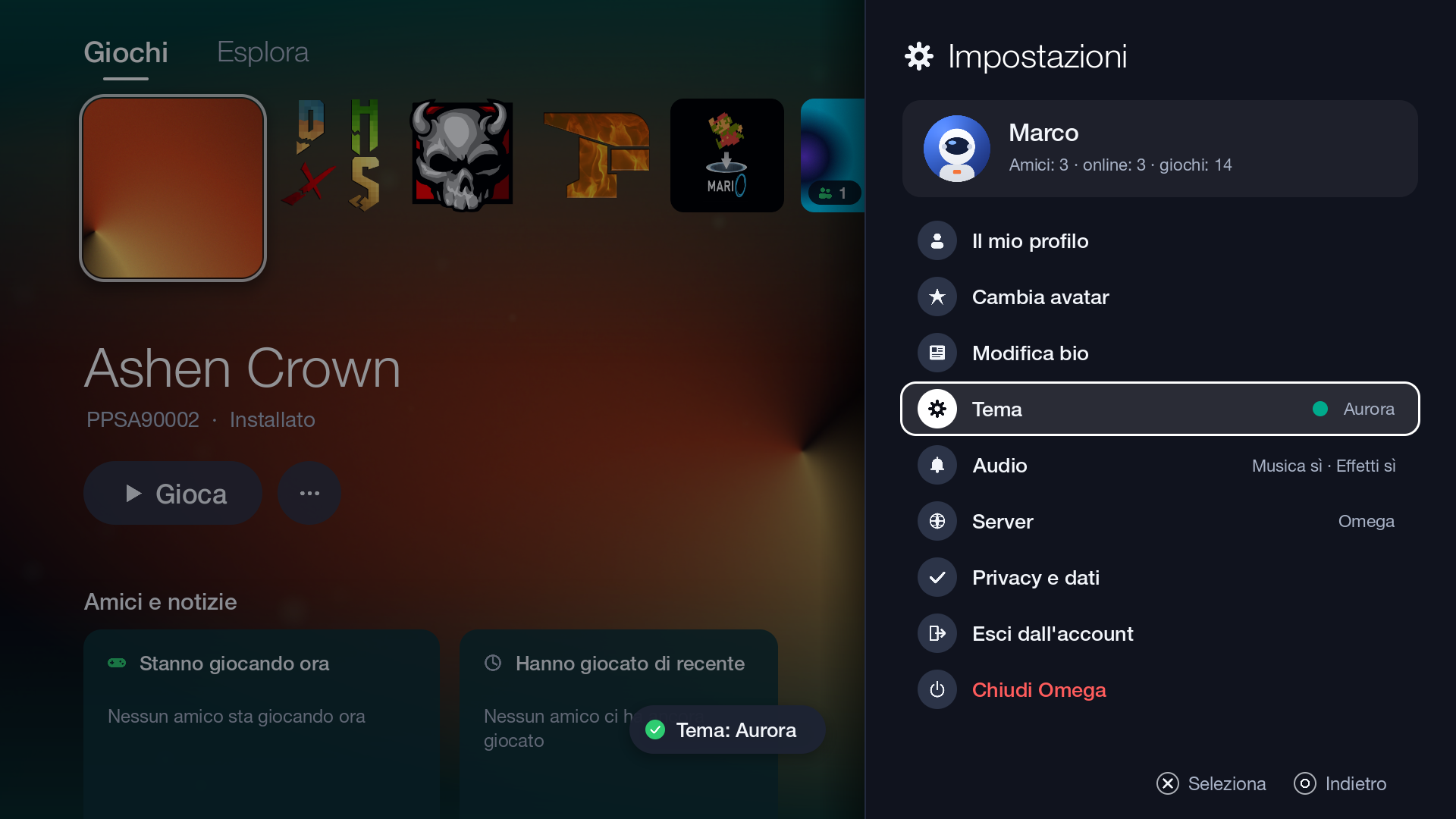
Themes

Six moods. One soundtrack.

Six colour themes that tint the whole interface, from Home to Store. And synthesised ambient music that keeps you company as you browse, without ever stealing the show.

Choosing a colour theme

The Store you've
always wanted.

No prices, no codes, no surprises. Just free software, carefully picked and ready in seconds.

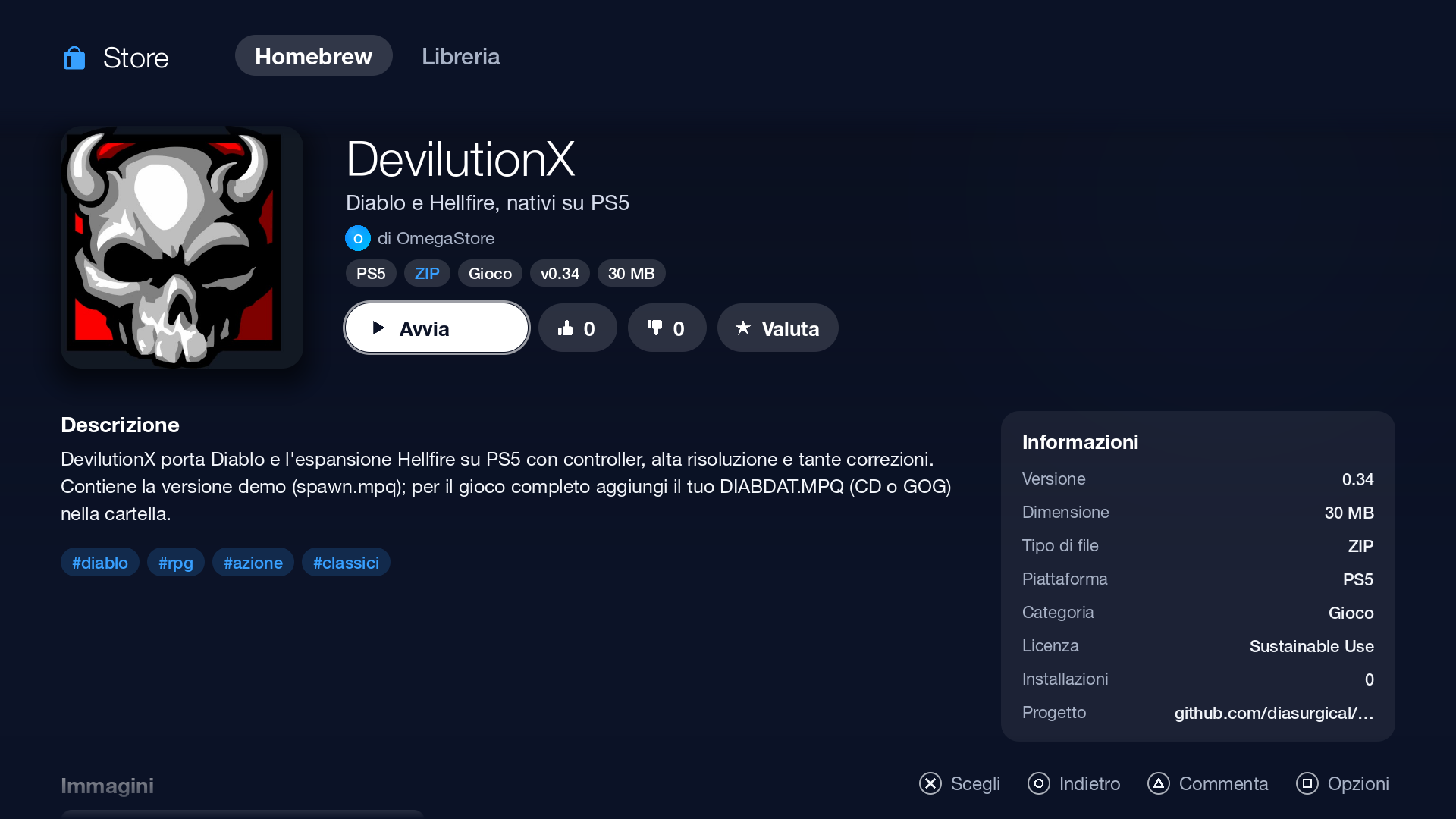
A homebrew details page in the Store, with ratings and the Install button

Just install it

Omega recognises the package and knows where it goes: pkg files go through the system installer, zips land among your homebrew, elf files go to your payload loader.

Real ratings from real people

Stars, likes and comments from the community. Find out what's worth trying tonight, then tell everyone how it went.

Your personal library

Point Omega at a JSON file with your personal backups and your library fills itself in, with covers and titles, right next to the Store.

49 homebrew apps, all open source

  • RetroArch
  • ScummVM
  • Crispy Doom
  • DevilutionX
  • Mednafen
  • FFplay
  • Yamagi Quake II
  • VVVVVV
  • Mari0
  • FinalBurn Neo
  • OpenJazz
  • EDuke32
  • Wolf4SDL
  • LakeSnes
  • Omnispeak
  • pNES
  • pSNES
  • pGEN
  • pGBA
  • Transmission
  • Tailscale
  • Apollo Save Tool
  • DLNA Play
  • FTP Server
  • websrv
  • Homebrew Launcher
  • Shell Server
  • ELF Loader

Closer, even when apart.

The best nights aren't played alone. Omega puts your friends front and centre, with everything you need to meet up, talk and compete.

Wall

Posts, likes and comments. Emma's new trophy, tonight's co-op session, the game Jake just found in the Store.

Voice party

Clear, lightweight Opus audio, party chat and one-button invites. Jump in, say hi, play.

Groups

Persistent groups for your Friday-night squad, with the full history always there.

Playtime

Stats on your hours played and a weekly leaderboard. Only with people you know, only for fun.

Status

Choose how you appear and add a message of your own.

  • Online
  • Away
  • Do not disturb
  • Invisible

Game Base

All in one panel, with suggestions from mutual friends and shared games.

  • A lightweight reader browser for articles and guides
  • Signed automatic updates
  • Synthesised ambient music
  • 6 themes that colour everything

See it live.

Omega's real interface, recorded exactly as it is. No special effects.

Every screen, up close

Truly free.

Your server, your rules.

The server code is open: anyone can run one for themselves, their group or their community, and switch to it from Settings in a moment. The Omega server is always there, one button away.

Source code on GitHub

Open source, GPL-3.0

Every line is public: you can read it, check it, change it and share it. No black boxes on your console.

Signed updates

Every update is signed with Ed25519 and always comes from the Omega server. Your console checks the signature and SHA-256 before installing anything.

Your data stays yours

Export all your data whenever you like, or delete your account for good. Straight from Settings, no forms to fill in.

You decide who reaches you

Block, report, choose who can message you. And when you want some peace, go invisible.

A well-kept community

Reports go to a moderation panel on the server, so the wall stays a nice place to hang out.

Independent

Omega is an independent project, made by enthusiasts. It is not affiliated with or endorsed by Sony Interactive Entertainment.

Omega is developed by TheCriicom, with code open to anyone who wants to contribute. Learn more at outlinedigital.it.

Ready in three steps.

From the console, a phone or a PC: pick whichever way suits you best.

  1. Prepare your console

    You need a jailbroken PS5 with homebrew support: a launcher like websrv and a payload loader. If you already have them, you're halfway there.

  2. Install Omega

    In the console's browser, open play.omegasuite.it/installa and press one button. Or send the .elf installer to your payload loader, or copy the folder from the zip.

  3. First launch

    Open Omega and create your Omega account in a minute: it's separate from any other account. From then on, updates arrive on their own.

Console installation guide

FAQ

Is it safe?

Omega is open source: anyone can read the code and check what it does. Updates are signed with Ed25519 and verified with SHA-256 on the console before installing. To be honest: jailbreaking always carries some risk, and the homebrew in the Store are third-party open-source projects, downloaded from their official releases. Install what you trust.

Does it touch the console's system files?

No. Omega runs as homebrew and lives in the homebrew folder (/data/homebrew/OmegaUI). It doesn't modify the firmware or the system partitions. To remove it, just delete its folder.

Is it legal?

Omega is free, legal software, released under the GPL-3.0 licence: it contains no games, doesn't distribute them and doesn't bypass any protection. Jailbreaking a console is the choice and responsibility of whoever does it, and the rules can vary from country to country. Omega is an independent project, not affiliated with Sony Interactive Entertainment. This answer is not legal advice.

Can I use my own server?

Yes. The server code is open: you can run your own and pick it from Settings › Server. The Omega server is always available, and app updates still come from the Omega server, signed.

How much does it cost?

Nothing. Omega is free, with no subscriptions or in-app purchases. And because it's GPL-3.0 it will stay free: nobody can lock it up and sell it as their own.

Download Omega.

Free, forever. Choose the format that suits you.

The full package contains the installer and the data/ folder, to copy to the root of your console. After the first install, Omega updates itself.